American Geography Puzzle

American Geography Puzzle

Geography Educational Casual
Updated: 2026-07-17

Reviews

This geography puzzle excels at turning a memorization task into an engaging activity. The drag-and-drop controls are intuitive, and the clean interface keeps focus on learning. It is free, requires no downloads, and works on any device. Ideal for students or anyone wanting to brush up on state locations without pressure.

Description

Game Introduction

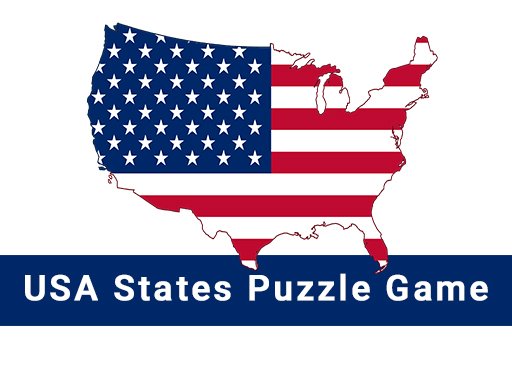
This interactive geography activity invites players to arrange all fifty states on an empty outline of the United States. The main goal is to correctly position each state by dragging it from a provided list onto the map. It serves as a practical tool for learning or refreshing knowledge of state locations and shapes. The experience is designed to be straightforward and accessible, making it suitable for a wide audience, from schoolchildren studying geography to adults seeking a calm mental exercise. The interface is clean and uncluttered, focusing entirely on the educational task. No violent or inappropriate themes are present, ensuring a safe environment for all users. Whether someone is passionate about geography or simply looking for a relaxing challenge, this puzzle offers an engaging way to spend time while learning.

How to Play

Players typically begin by selecting a state from a tray or list on the screen. They then drag that state onto the blank map, aiming to drop it in the correct location. Visual cues often indicate whether the placement is accurate. Some versions may allow players to choose between timed and untimed modes, or to use hints when uncertain. The objective is to complete the entire map with all states in their proper positions. Controls are generally simple and responsive, working well on both computers and touchscreen devices. No installation is required, as the game runs directly in a web browser.

Game Features

Key features include an interactive drag-and-drop mechanism that makes learning hands-on. The activity is educational and appropriate for all age groups, from young learners to older adults. It is available to play online at no cost. The design emphasizes clarity and ease of use, with a focus on the learning objective. Some implementations may include optional hints or a timer to increase the challenge. The game can be accessed instantly through a browser without any downloads or registrations.

Tips for Success

To improve accuracy, study a reference map beforehand to become familiar with state shapes and relative positions. Regular practice helps build familiarity and speed. Using hints sparingly can maximize the learning benefit. A good strategy is to place larger, well-known states first, as they serve as reference points for surrounding smaller states. Taking time to avoid errors and gradually working to complete the puzzle more quickly can help track progress.


Compatibility

▸ Desktop: Chrome / Edge / Firefox / Safari
▸ Mobile: iOS Safari / Android Chrome
▸ Tablet: iPadOS Safari / Android Tablet Browser
Keep your browser updated for the best experience
FAQ
Can I play American Geography Puzzle on my phone or tablet?
Yes, the game is designed to work on touchscreen devices. You can drag and drop states using your finger just as you would with a mouse. No app download is needed; simply open the website in your mobile browser.
Is there a time limit to finish the puzzle?
Some versions of the game may include a timer for an extra challenge, but many allow you to play at your own pace. You can choose a mode that suits your preference, whether you want a relaxed experience or a timed test of speed.
Do I need to create an account to play?
No account or registration is required. The game is free to play directly in your browser. Just visit the webpage and start placing states on the map immediately.
Are there different difficulty levels available?
The core puzzle has a single objective of placing all 50 states. However, you can adjust the challenge yourself by choosing to play with or without hints, or by timing your attempts. Some game versions may offer a mode where state names are hidden.
What happens if I place a state in the wrong location?
Typically, the game provides visual feedback when a state is placed correctly. If you place a state incorrectly, it may snap back to the tray or remain in place but not be counted as correct, allowing you to try again.
Is this game suitable for classroom use?
Absolutely. The puzzle is a safe, educational tool that helps students learn US state locations interactively. Teachers can use it as a fun activity during geography lessons, and no inappropriate content is present.
Advertisement

Handpicked Games

Arrow Path Puzzle

Arrow Path Puzzle

Arrow Path Puzzle is a clean, fun puzzle that tests your timing and focus. Great for quick breaks.

Push Dash Smash Arcade

Push Dash Smash Arcade

Push Dash Smash Arcade offers simple, colorful fun with easy swipe controls and hundreds of levels.

Cinderella Fashion Design Game

Cinderella Fashion Design Game

A relaxing, creative dress-up game with no timers. Perfect for fairy tale fans of all ages.

Infinite Brick Breaker Arcade

Infinite Brick Breaker Arcade

A fun, endless brick breaker with simple controls and increasing speed. Great for quick breaks.

Park the Beetle Arcade Driving

Park the Beetle Arcade Driving

Park the Beetle Arcade Driving offers realistic graphics and fun parking challenges. Great for casual players.

Tap Puzzle Arcade

Tap Puzzle Arcade

Tap Puzzle Arcade is a fun, simple puzzle game that tests your instincts. Perfect for quick breaks.

Heroes Dash: Arcade Adventure

Heroes Dash: Arcade Adventure

A fun, family-friendly 3D arcade runner with colorful graphics and humorous physics. Great for all ages.

House Decorator Puzzle Game

House Decorator Puzzle Game

A calming puzzle game with creative painting and city building. Perfect for relaxation.