
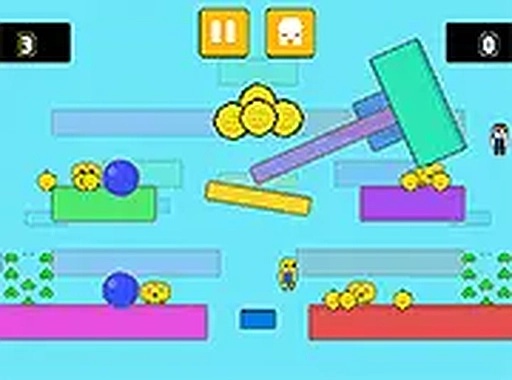
Course Runner Collection Quest
Reviews
Course Runner Collection Quest delivers a focused platforming experience where success depends on reading obstacle patterns and precise movement. The gradual difficulty curve keeps each new stage engaging without becoming frustrating. The inclusion of a flying companion adds a light personal touch, while the responsive controls work equally well on desktop and mobile. It is a solid choice for quick play sessions that test your reflexes.
About this game
Core Movement and Navigation
Course Runner Collection Quest focuses on precise movement through a series of obstacle courses. Players control a character that must jump, dodge, and weave through various hazards placed along the path. The game emphasizes timing and spatial awareness, as each obstacle requires a specific approach to pass safely. Hazards may include moving barriers or objects that spin, requiring players to wait for the right moment to advance. The courses are designed to test a player's ability to read the environment and react quickly.
Item Collection and Scoring
Scattered throughout each course are collectible items that players can gather to increase their score. These items are often placed in positions that require careful navigation to reach, adding an extra layer of challenge. Collecting all items in a stage may unlock additional content or provide a sense of completion. The scoring system rewards players who take the time to explore each course thoroughly, balancing the risk of hitting an obstacle with the reward of a higher score.
Character Selection and Companions
Players can choose between two characters before starting the game, each with a distinct visual style. One character may be a standard runner, while the other offers a different appearance. Additionally, a small flying companion can accompany the character, providing a cosmetic touch that personalizes the experience. This companion does not affect gameplay but adds visual variety as players progress through the courses.
Platform Compatibility and Controls
The game is built to run directly in a web browser without any downloads or installations. It supports both desktop computers and mobile devices, with control schemes adapted for each platform. Desktop users can use keyboard arrows for movement and jumping, while mobile players rely on touch-based on-screen buttons. The responsive design ensures that the controls feel natural on both types of devices, making the game accessible to a wide audience.
Progression and Difficulty Curve
As players advance through the courses, the obstacles become more complex and appear at a faster pace. Early stages introduce basic hazards that teach the core mechanics, while later stages combine multiple obstacle types that require quick decision-making. This gradual increase in difficulty helps players build their skills over time without feeling overwhelmed at the start. The game encourages repeated attempts to master each course and achieve a high score.



Comments
Sign in to leave a review
No account? Create one
No comments yet.